Website Translation into Arabic and Hebrew: What Changes When Text Is Written Right to Left
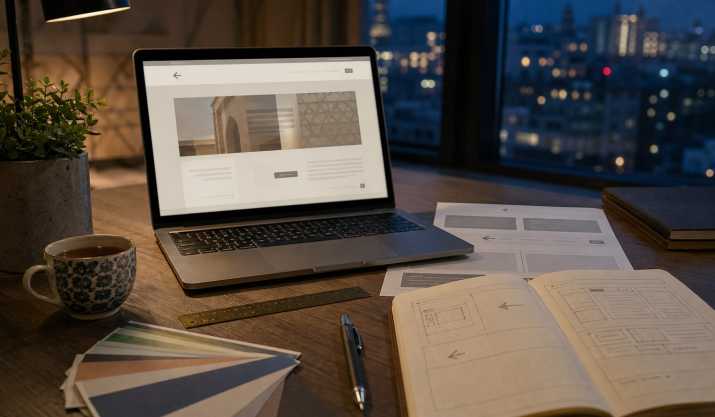
A company launched its website in Arabic. The translation was accurate, but the page looked off: the menu was pushed against the left edge, the "Buy" button had drifted into a corner, the "back" arrow pointed the wrong way, and the phone number was split in two. This happens often when translation is treated as simple word replacement. For languages written right to left, translating the text is not enough. The entire interface has to be adapted, and it is far easier to plan for these changes in advance than to fix them after launch.
What RTL Means and Which Languages Use It
RTL (right-to-left) refers to writing that runs from right to left. Arabic, Hebrew, Persian (Farsi), Urdu, Pashto, and Central Kurdish (Sorani) are written this way. Text direction affects more than the order of characters within a line. It also changes how the browser aligns paragraphs, where margins and padding sit, and which direction scrolling runs in cards and galleries.
It is important to understand that an RTL language does not mean a "mirrored website." The content structure stays the same, but everything connected to reading direction needs to be reviewed. For a web developer, this means the page should carry the dir="rtl" attribute and a correct lang attribute (for example, ar or he). Otherwise, browsers and search engines may process the content incorrectly.
Mirrored Interface: Menus, Icons, and Arrows
The main rule: mirror what carries directional meaning. Typically this includes "back" and "next" arrows, progress indicators in multi-step forms, navigation breadcrumbs, and message-send icons. Logos, play symbols, clocks, and icons containing letters or numbers should not be mirrored.
Menus usually move to the right. The search field and magnifying-glass icon also shift, so users find them where they expect. Rather than manually adjusting the layout for every block, use CSS logical properties: write margin-inline-start instead of margin-left, and text-align: start instead of text-align: left. This way, the same markup works correctly in both directions.
It helps to record these rules in a short checklist for the team:
- Mirror: arrows, progress indicators, directional icons, the order of steps in an order wizard.
- Do not mirror: logos, play symbols, clocks, charts with a time axis, icons with text inside.
Mixed Text: Numbers, Latin Script, and Brands
The trickiest part of RTL localization involves mixed text. Suppose an Arabic sentence contains order number 4521, the currency code USD, and your brand name in Latin script. The browser applies the bidirectional text algorithm (bidi), and punctuation marks can end up in the wrong place. For example, a period at the end of a phrase or a colon before a number may appear in an unexpected position, making the meaning hard for the reader to follow.
There are several ways to handle this. For individual fragments such as brand names, codes, and identifiers, you can wrap them in an element with dir="ltr". In some cases, invisible directional control characters help, but they should be used sparingly, since they make the text harder to maintain.
Agree on numerals in advance as well. Arabic has Arabic-Indic digits, but in online content and business correspondence, standard Western digits 0–9 are widely used. The choice depends on the audience and country, but it must be made before translation begins, not during development. The same goes for brand names: whether to write them in Arabic script or Hebrew script, or keep them in Latin letters. This is a business decision, and it should be recorded in the glossary.
Fonts, Line Height, and Text Length
Arabic script is cursive: the shape of a letter depends on its position in the word, and vowel marks and diacritics sit above and below the line. For this reason, the font must fully support Arabic, not just a basic character set. If the browser falls back to a substitute font, the text may look foreign and letters may join incorrectly.
Line height should be increased compared with Latin text, by roughly a quarter, otherwise the tall and descending parts of letters will collide. Hebrew is simpler, since its letters do not connect, but vowel marks and quotation marks also need extra vertical space.
Text length also changes. Arabic translations often run longer than the English original, so buttons and headings with fixed widths tend to break first. For example, if the button "Place Order" fits in 140 pixels in the English version, the Arabic one may not fit and will be cut off. Use flexible widths, and when designing, test with the longest translated string rather than the shortest.
Cultural Adaptation of Images and Examples
Translating words is only part of adaptation. Images and examples must match the expectations of the audience, or even flawless text will not save the impression. Look closely at photographs: the clothing of models, family composition, settings, and symbols. Audience expectations differ noticeably across countries in the Middle East, so there is no universal set. For instance, a photo of a model in a swimsuit in a clothing catalog for Gulf states may be inappropriate, while in Israel the same image may look perfectly ordinary.
Gestures, colors, and numbers can also be ambiguous. A gesture of approval that is neutral in one country may be perceived as rude in another. Color associations vary as well. For this reason, the brief for the translator and designer should describe the context: who the audience is, what products are being sold, and what level of formality is required.
Dates and calendars are a separate question. In Israel, the Gregorian calendar is usually used in business settings, while in some Arab countries the Hijri calendar may be used in official and religious contexts. The date format (day-month-year or month-day-year) also needs to be clarified, especially if the site accepts orders with delivery dates.
Finally, advertising slogans and wordplay are almost never translated directly. It is better to adapt them, preserving the meaning and tone.
Testing with a Native Speaker
Even a professional translator will not catch every layout problem, because they usually work with text rather than the interface. That is why testing with a native speaker is essential. Ask them to go through the entire user journey: from the home page to placing an order, the confirmation email, and contacting support. Check not only the texts but also the overall experience: is it clear where to click, and does any phrase sound unnatural?
Test on real devices and in different browsers, including phones, since mobile menus and dropdown lists often behave differently in RTL. Pay special attention to forms: input fields, phone number masks, error messages, and label alignment. Emails and notifications are also part of localization and should be reviewed separately.
Do not overlook dialects. For a website, modern standard Arabic is usually chosen because it is understood across the region, but advertising copy sometimes calls for a regional variety, such as Gulf or Levantine. The decision depends on the target market and the required level of formality.
Conclusion
Translating a website into Arabic or Hebrew is a joint effort involving the translator, the designer, and the developer. The earlier the writing direction is taken into account, the fewer revisions will be needed. Build RTL support into the design stage: use CSS logical properties, flexible button sizes, and fonts with full script support. Create a glossary and rules for brands, numerals, and dates. Give the translator screenshots and context, not just a table of strings.
If you need website localization that accounts for the specifics of the interface, contact a professional translator: a good provider will not only translate the text but also advise on what should be changed in the design.
Read also:
- Website and App Localization: How It Differs from Regular Translation
- Transcending Language Barriers: How to Translate Your Website into Multiple Languages
Need a professional translation? Order it online: choose the languages, upload your file and see the price in a few minutes.